Das Online-Piano-Roll für deine MIDI-Dateien
Visualisiere jede Note, jeden Akkord, jede Spur — in Sekunden, ohne etwas zu installieren.
Was ist ein Piano-Roll?
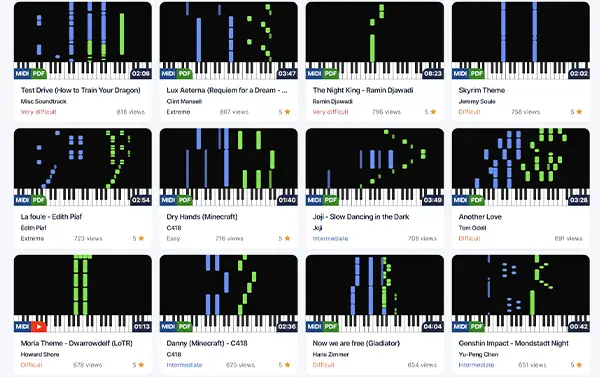
Das Standardwerkzeug jeder DAW, in deinem Browser
Ein Piano-Roll zeigt MIDI-Noten in einem Raster: vertikale Achse für die Tonhöhe, horizontale Achse für die Zeit. So visualisiert professionelle Software MIDI.
- Sieh genau, welche Noten wann gespielt werden
- Erkenne Akkorde und harmonische Verläufe sofort
- Verstehe Struktur und Arrangement eines Songs
Für wen es ist
Vom Produzenten bis zum Pianisten — das Online-Piano-Roll passt in viele Workflows
Musikproduzenten
Höre MIDI vorab an, bevor du sie in deine DAW importierst. Prüfe Notengenauigkeit und Arrangement auf einen Blick.
Klavierschüler
Studiere, wie ein Song aufgebaut ist. Beobachte Fingersatzmuster und das Zusammenspiel der Hände.
Komponisten
Analysiere Referenzen, studiere die Kompositionstechniken deiner Lieblingsstücke.
Content Creator
Erstelle spannende Piano-Roll-Videos für YouTube, TikTok oder Instagram.
Profi-Funktionen
Alles, was du zum Analysieren einer MIDI brauchst
Präzises Raster
Noten exakt zu Beats und Takten ausgerichtet. Timing und Rhythmus sofort lesbar.
Spursteuerung
Stummschalten, solo, umfärben jede Spur. Konzentriere dich auf das Wesentliche.
Klaviertastatur
Die virtuelle Tastatur leuchtet in Echtzeit auf, während der Song läuft.
Tempo und Taktart
Sieh BPM, Taktart und Wechsel über das gesamte Stück.
Direkte Navigation
Klicke irgendwo auf die Timeline, um direkt an diese Position zu springen.
Jeder Bildschirm
Desktop, Laptop, Tablet — das Piano-Roll passt sich jeder Größe an.
Bereit zum Spielen?
Schließe dich Tausenden von Klavierbegeisterten an und greife auf kostenlose MIDI-Dateien, Noten und mehr zu.