Visualizer Piano Online
Ubah file MIDI apa pun menjadi animasi not jatuh. Belajar dengan menonton, sesuai kecepatan Anda.
Lihat setiap not menjadi hidup
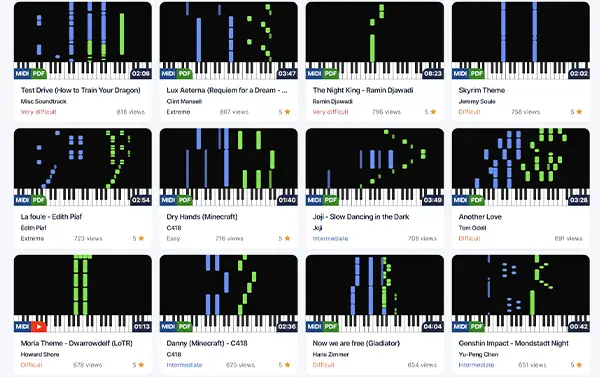
Piano-roll dinamis untuk pembelajar visual
Visualizer Pianotify merender not MIDI sebagai bar berwarna yang jatuh ke arah keyboard. Anda melihat dengan tepat tombol mana yang harus ditekan dan kapan.
- Visualisasi real-time tersinkronisasi dengan audio
- Warna yang dapat disesuaikan per trek atau per tangan
- Tanpa instalasi — semuanya berjalan di browser Anda
Dalam tiga langkah
Dari file MIDI ke pemutaran beranimasi
1. Lepaskan MIDI Anda
Seret dan lepas file .mid atau .midi apa pun ke pemutar. File Anda tetap di perangkat Anda.
2. Render instan
Visualizer mem-parse MIDI dan menghasilkan piano-roll dalam hitungan milidetik.
3. Mainkan dan pelajari
Tekan play, sesuaikan tempo, bisukan trek, ulangi bagian yang sulit.
Fitur kelas latihan
Semua yang Anda butuhkan untuk memvisualisasikan dan belajar
Warna kustom
Tetapkan warna untuk setiap trek. Bedakan tangan kiri dan kanan, melodi dan iringan.
Kontrol kecepatan
Perlambat dari 25% hingga 200%. Berlatih bagian yang sulit dengan tempo yang cocok.
Trek individual
Bisukan atau solokan setiap trek. Berlatih hanya bass, hanya melodi, atau semuanya.
Metronom bawaan
Aktifkan klik untuk membangun ritme yang solid dan akurat.
Pintasan keyboard
Putar, jeda, cari, ubah kecepatan — semua dari keyboard.
Audio berkualitas tinggi
Sampel realistis, beragam suara instrumen di seluruh rentang MIDI.
Siap mulai bermain?
Bergabunglah dengan ribuan penggemar piano dan akses file MIDI gratis, partitur, dan lainnya.