The Online Piano Visualizer
Turn any MIDI file into a falling-notes animation. Learn by watching, at your own pace.
See every note come to life
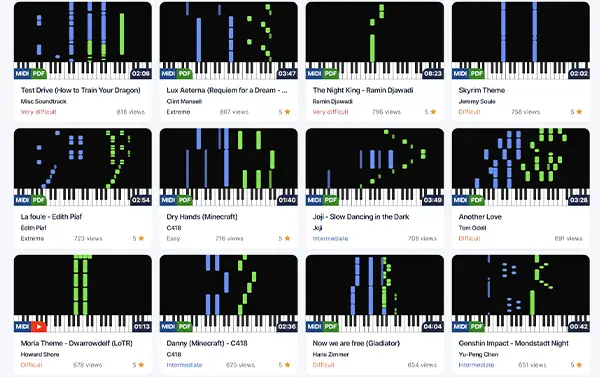
A dynamic piano-roll built for visual learners
The Pianotify visualizer renders MIDI notes as colored bars falling toward the keyboard. You see exactly which key to press and exactly when.
- Real-time visualization synced with audio
- Customizable colors per track or per hand
- No install — everything runs in your browser
In three steps
From MIDI file to animated playback
1. Drop your MIDI
Drag and drop any .mid or .midi file onto the player. Your file stays on your device.
2. Instant rendering
The visualizer parses the MIDI and generates the piano-roll in milliseconds.
3. Play and learn
Hit play, adjust tempo, mute tracks, loop the hard sections.
Practice-grade features
Everything you need to visualize and learn
Custom colors
Assign a color to each track. Distinguish left and right hand, melody and accompaniment.
Speed control
Slow down from 25% to 200%. Practice tricky passages at a tempo that works.
Individual tracks
Mute or solo each track. Practice just the bass, just the melody, or everything.
Built-in metronome
Switch on the click to build solid, accurate rhythm.
Keyboard shortcuts
Play, pause, seek, change speed — all from the keyboard.
High-quality audio
Realistic samples, multiple instrument sounds across the full MIDI range.
Ready to start playing?
Join thousands of piano enthusiasts and access free MIDI files, sheet music, and more.